

Table of Contents
It’s the most frustrating scenario in email marketing: You aren’t buying shady lists. You aren’t promising millions of dollars in a Nigerian lottery. You are sending legitimate content to people who signed up for it.
Yet, your open rates are plummeting, and your test emails are landing straight in the Junk folder.
In 2026, being a “good person” isn’t enough to satisfy the algorithms used by Gmail, Outlook, and Yahoo. The definition of spam has evolved. It is no longer just about malicious intent; it is about technical alignment and engagement signals.
If you are trying to figure out why emails go to spam , the answer usually isn’t one major error. It’s often a combination of hidden triggers —”death by a thousand cuts”— that degrade your sender reputation.
Here is a deep dive into the non-obvious reasons your emails are being filtered, and how to fix them.
1. The “engagement Gap” is flagging you
Years ago, spam filters looked primarily at keywords. Today, major Email Service Providers (ESPs) rely heavily on AI-driven behavioral analysis.
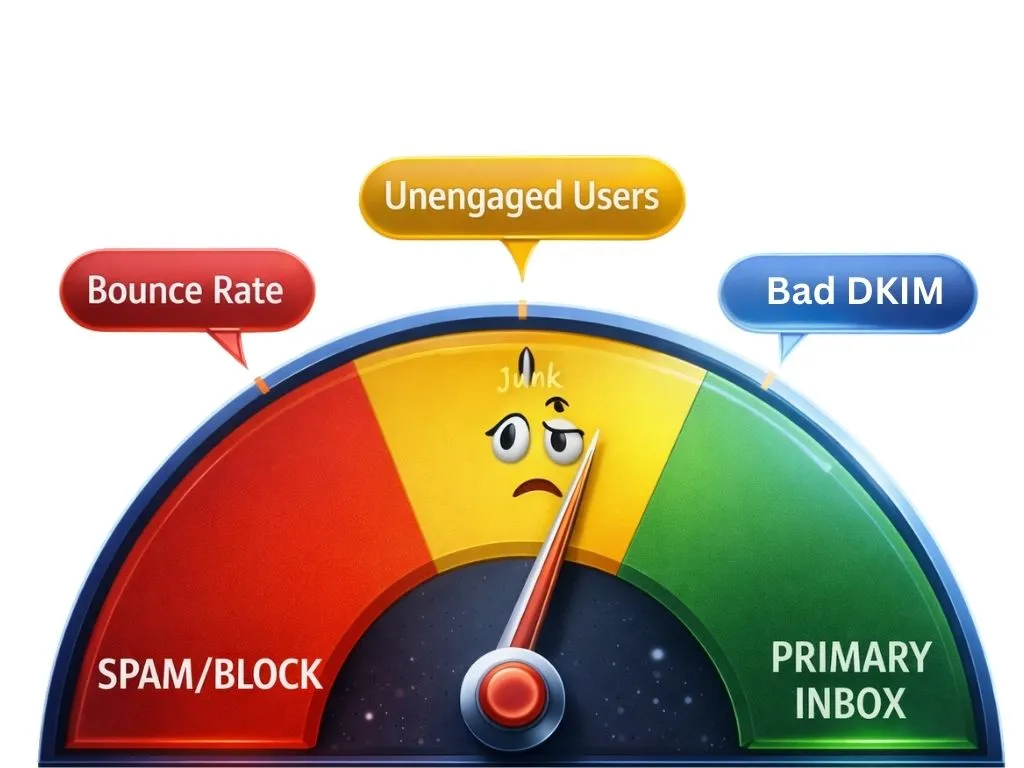
Even if your authentication is perfect, Gmail is watching how users interact with your mail.
- The Negative Signals: If users delete your email without opening it, or move it from “Primary” to “Promotions” manually, it signals irrelevance.
- The Ignore Ratio: If you send to 10,000 people and only 50 open it, the algorithm assumes the other 9,950 consider it spam.
The Fix: Stop trying to “reactivate” ghosts. If a subscriber hasn’t opened an email in 90 days, stop sending to them. Sending to unengaged users is one of the fastest ways to destroy your inbox placement.
2. Your Authentication is Valid, But Not “Aligned”
Many B2B senders have SPF, DKIM, and DMARC enabled, yet still see emails land in spam. The hidden issue is often domain misalignment.
You might send from newsletter@yourbrand.com, but your email provider signs the message using a different domain (like an ESP-owned domain). While authentication technically passes, inbox providers in 2026 treat this mismatch as a trust risk.
Spam filters compare the From domain, DKIM signing domain, and DMARC alignment. When these don’t match, emails may be deprioritized or pushed to spam — even without visible errors.
The fix: Configure a custom DKIM signature and return-path under your own domain so the “signed-by” domain matches your “from” address. Proper alignment signals authenticity and improves inbox placement.
3. Your “Bounce Debt” is Too High
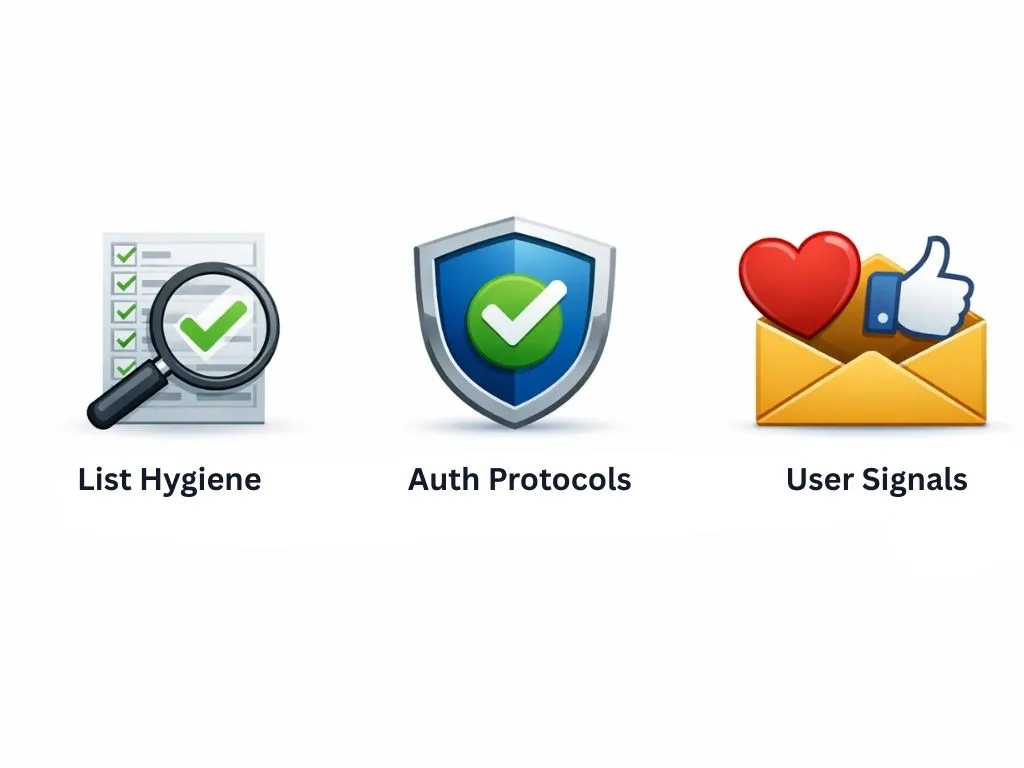
If you sent a campaign last month that hit a 5% bounce rate, you are likely still paying for it today.
Internet Service Providers (ISPs) have long memories. High bounce rates suggest you are scraping data or managing your lists poorly. When your emails land in spam, it is often a delayed reaction to a previous campaign where you hit too many invalid addresses.
Furthermore, “Spam Traps”—recycled email addresses that haven’t been used by a human in years—are used by ISPs to catch negligent senders. Hitting just one of these can tank your reputation instantly.
The Fix: You must verify your list before every deployment. Removing invalid emails and potential traps is the only way to prove to ISPs that your data is clean.
4. You Are Using Toxic Tracking Links
This is a technical nuance many marketers miss. To track clicks, your email tool wraps your URLs in a redirect link.
If you are on a shared IP plan or a lower-tier plan with your email provider, you might be sharing that tracking domain with thousands of other customers. If one of those customers sends phishing links, the tracking domain gets blacklisted.
Since your email contains that blacklisted domain (even if it redirects to your legitimate website), your email goes to spam.
The Fix: Use a custom tracking domain (e.g., link.yourbrand.com) rather than the default generic link provided by your ESP.
5. Inconsistent Sending Volume
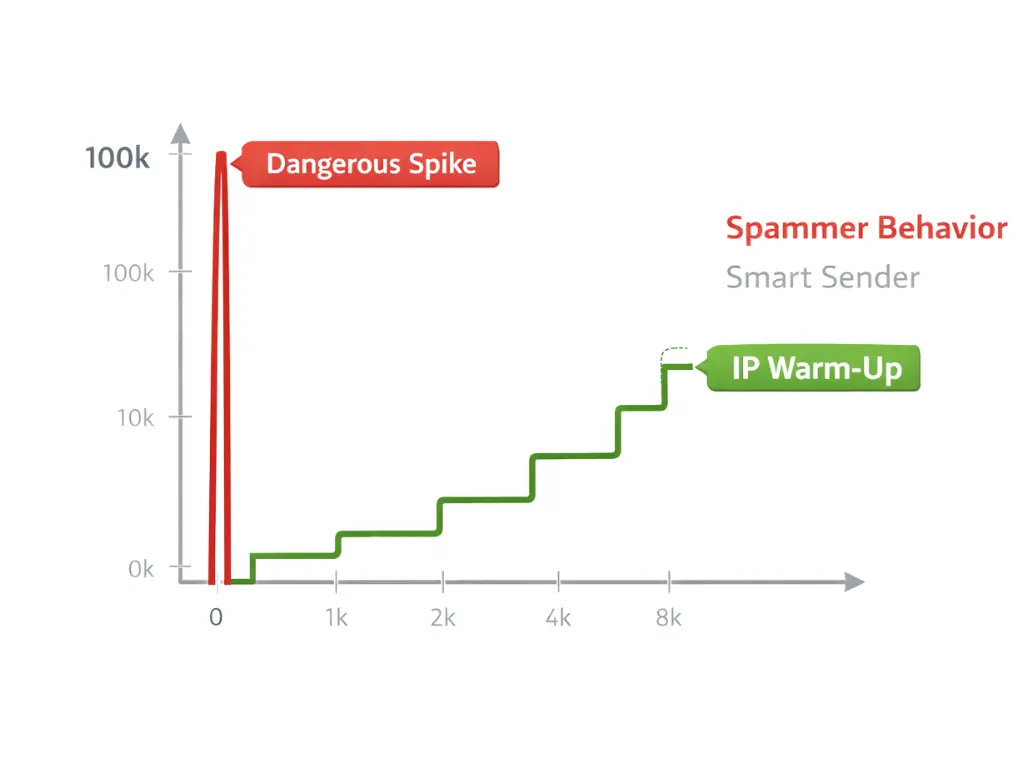
Spammers tend to blast millions of emails at once, then go silent. Legitimate businesses usually have a heartbeat—a consistent rhythm.
If you usually send 5,000 emails a week, and suddenly you decide to email 200,000 cold leads on a Tuesday, your deliverability will crash. The ISPs view this volume spike as an anomaly and will throttle your delivery (send it to spam or delay it) to protect their users.
The Fix: If you need to increase volume, do it via a “warm-up” process, increasing your volume by no more than 20-30% day over day.
The 2026 Deliverability Audit Checklist
If you are struggling to diagnose the issue, walk through this audit. If you answer “No” to any of these, you have found a likely culprit.
Technical Setup
- SPF/DKIM/DMARC: Are all three active?
- DMARC Policy: Is your policy set to at least p=quarantine or p=reject? (Policies set to p=none carry less weight in 2026).
- Alignment: Does your DKIM signature match your “From” address?
- PTR Record: Does your sending IP address have a valid Reverse DNS resolution?
List Hygiene
- Hard Bounces: Did you remove all hard bounces immediately after the last send?
- Inactive Users: Have you removed subscribers who haven’t opened in 6 months?
- Verification: Did you run your list through a verification tool within the last 30 days?
Content & Engagement
- Unsubscribe Link: Is it one-click and easy to find? (Hiding this hurts your reputation).
- Text-to-Image Ratio: Is your email mostly text? (Image-only emails are high-risk).
- Link Health: Have you checked that your domains aren’t on any blocklists (like Spamhaus)?
Recovering Your Inbox Placement
The reality of why emails go to spam is that the bar for entry is higher than ever. ISPs are prioritizing user experience above all else. They want to ensure that only wanted, authenticated, and safe emails reach the inbox.
If you are seeing a dip in performance, don’t panic—but don’t ignore it. The worst thing you can do is continue sending to the same list without changing your strategy.
Start with the data. Before you launch your next campaign, take a moment to check email deliverability fundamentals. Clean your list, verify your technical records, and ensure you are only messaging people who actually want to hear from you.
Need to know exactly which emails on your list are hurting your reputation?
Don’t guess. Run a quick scan to identify invalid addresses and spam traps before they trigger the filters.